How to film a wedding on your phones
Researched and reviewed I checked it against primary sources. How I write these guides →
In this guide
- 01Ask what's allowed before you plan any shots
- 02Give each phone one position and one job
- 03Set every phone the same before the day
- 04Get clean sound for the vows
- 05Film landscape, and give one phone to portrait
- 06Write a shot list for before, during and after
- 07Use the light that's there, and add only what you must
- 08Collect guests' clips at full quality
- 09Sync the phones and cut it together
- 10What I'd do differently
- 11Questions I get about filming a wedding on a phone
- 12Where to go next
- 13Sources
Give two to four friends one phone position and one job each, set every phone to the same video settings, and put a separate microphone close to the vows. Before you plan a single shot, ask whoever leads the ceremony what they allow, because the decision is theirs.
I taught video at General Assembly in London for close to ten years, mobile video included, and a wedding is where a phone crew needs the most planning, because nothing happens twice.

Ask what's allowed before you plan any shots
Start with the person running the ceremony. The examples here are from the UK, where I work, but the same questions apply anywhere. In a Church of England church the vicar decides, and the Church's own guidance tells couples to talk it through early because of safety and copyright. Register offices work the same way. Council pages say filming is at the registrar's discretion and ask you to tell staff, so they can put the person filming somewhere suitable.
Local rules vary a lot. One parish allows a single video camera, kept in one place for the whole service. Another keeps cameras away from the front of the church and won't allow the signing of the register to be filmed, then invites the photographer in for a posed signing afterwards.
Ask about music too. Many churches hold a Church Copyright Licence from CCLI that covers recording live music. If the church doesn't, or a recorded track is played, the Church of England says you'll probably need a Limited Manufacture licence from PRS for Music, which PRS sells for wedding films made for private and family use.
| Where | Who decides | What to ask |
|---|---|---|
| Church of England church | The vicar | Can we film the service, from where, and does the church hold a copyright licence? |
| Register office or approved venue | The registrar | Where should the phones stand, and can we film the signing? |
| Other places of worship | Whoever leads the ceremony | Is filming allowed during the service, and from where? |
| Reception venue | The venue manager | Where can a tripod and a small light go, and is there power? |
If the answer is one fixed camera only, make that phone the wide shot and give it the best microphone. The other phones can start once the service ends.
Give each phone one position and one job
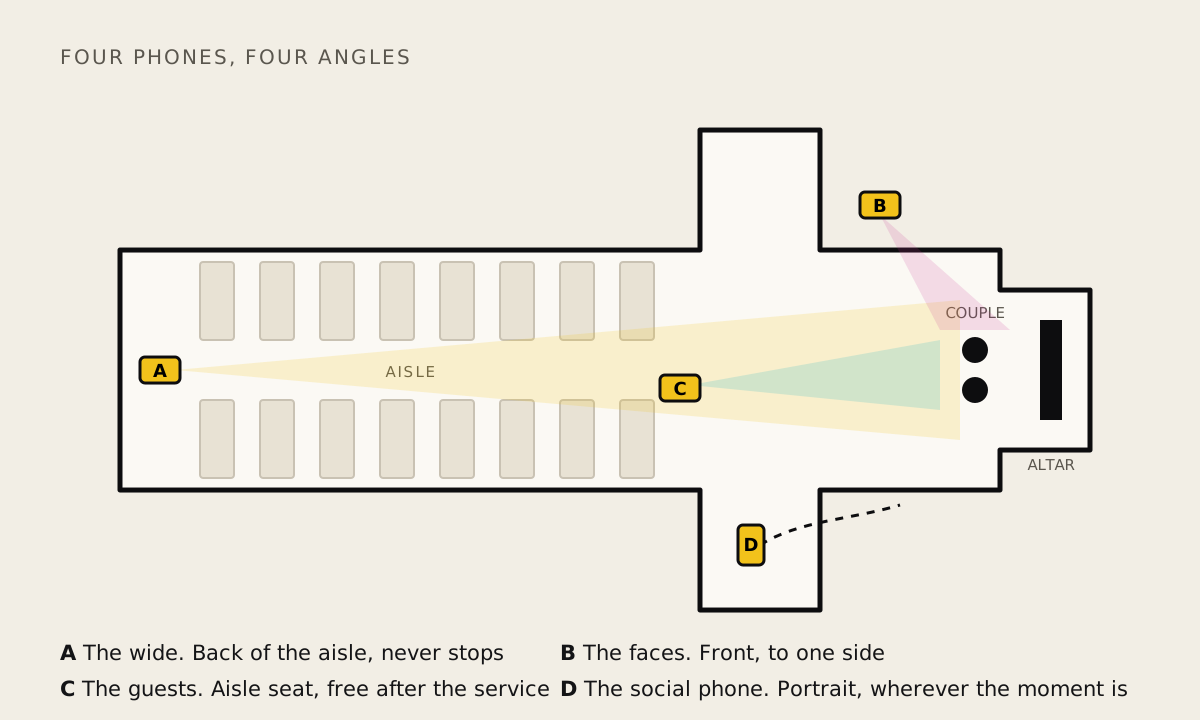
A crew of friends beats one person running about, because each phone gives you a different angle on the same moment. One walk up the aisle, seen from behind, from the side and on the family's faces, is three shots.
| Phone | Where it stands | Its job | Shape |
|---|---|---|---|
| A, the wide | Back of the aisle or a side gallery, on a tripod above head height | Records the whole ceremony, speeches and first dance without stopping | Landscape |
| B, the faces | Front and to one side, on a flexible tripod round a chair or pew end | Vows, rings and the kiss, close enough to see expressions | Landscape |
| C, the guests | Seated at the end of an aisle during the service, free to move after | Reactions, family, the details nobody else is watching | Landscape |
| D, the social phone | Wherever the moment is | Short clips the couple can post that evening | Portrait |
With two phones, run A and B. With three, add C. Pick people who will stay sober until the speeches are filmed, and put one name against every moment on the shot list so nobody assumes someone else has the first kiss.
Set every phone the same before the day
Clips only cut together cleanly when the phones match, so agree the settings a week before and check every phone again on the morning.
| Setting | Where on an iPhone | Why |
|---|---|---|
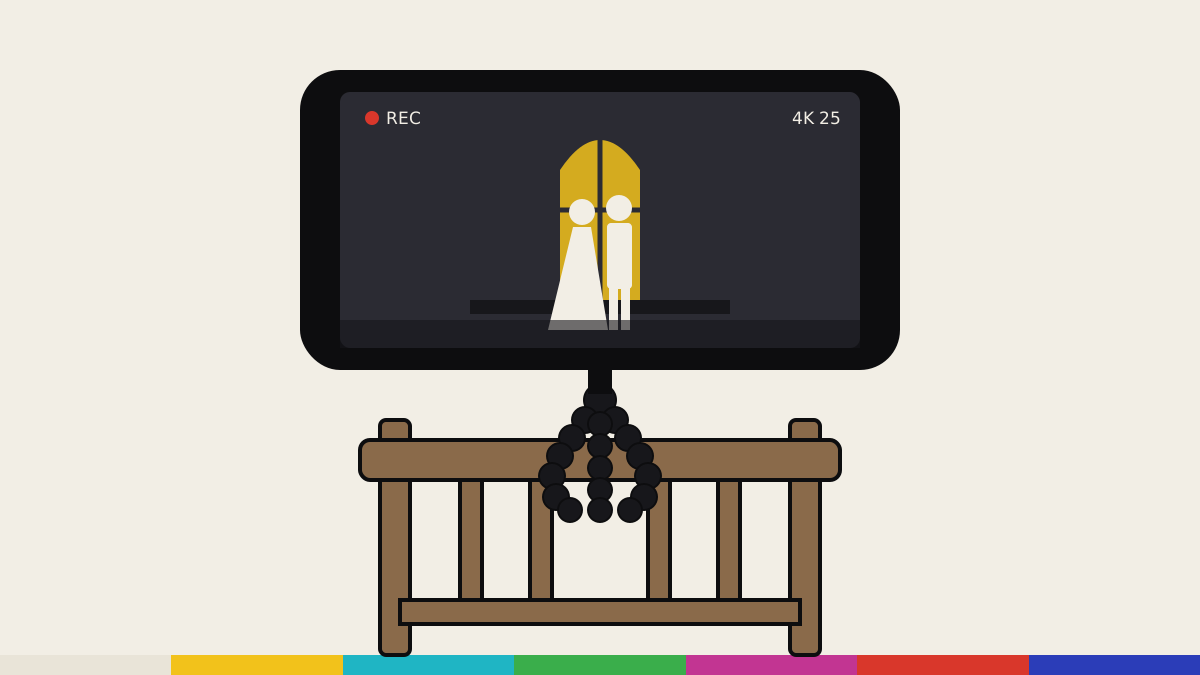
| 4K at 25 fps in the UK and Europe | Settings, Camera, Record Video, turn on Show PAL Formats, then choose 4K at 25 fps | UK mains electricity runs at 50 Hz and 25 frames divides into it evenly, so venue lights are less likely to flicker |
| 4K at 30 fps in the US and Canada | Settings, Camera, Record Video, choose 4K at 30 fps | Mains there runs at 60 Hz, which 30 divides into evenly |
| HDR Video off | Settings, Camera, Record Video | Some phones record HDR and some don't, and mixed clips look uneven side by side |
| Lock Camera and Lock White Balance on | Settings, Camera, Record Video, on models that offer them | Stops the phone switching lenses mid shot and stops colours drifting as people pass a window |
| Focus and exposure locked | Touch and hold on the subject until AE/AF Lock appears | Stops the picture pulsing brighter and darker as a white dress or dark suit fills the frame |
Whichever rate you pick, every phone must use the same one, or the cuts between them look jerky. Android phones differ by maker, and many built in camera apps don't offer 25 frames per second, so check each one. If it isn't there, Blackmagic's free Blackmagic Camera app for Android lists 25 fps. I use the iPhone version of that app on my own shoots.
For storage, the iPhone's Record Video screen shows how much space a minute takes at each setting. Multiply that by the minutes you plan to record and double it, because the wide phone alone can run past an hour.
On the morning, every phone needs the same few things.
- Airplane mode or Do Not Disturb, so a call can't interrupt the vows
- A charged battery pack and a short cable
- Space cleared the night before
- A wiped lens
Get clean sound for the vows
The vows are the part people will watch with the sound turned up, and a phone at the back of a church mostly records echo. Put a microphone near the couple and treat the picture as the easier half of the job.
| Option | How it works | Watch for |
|---|---|---|
| Wireless clip mic on one of the couple | Transmitter on the lapel, receiver plugged into phone B | Hide the cable, and agree it at the rehearsal |
| Clip mic on the officiant | Picks up both sets of vows and the readings | Only with their permission, and some will say no |
| A spare phone recording audio | A recorder app running on the lectern or in an inside pocket | Airplane mode on, and start it before the entrance |
| The venue's sound system | A feed from the desk or the DJ for the speeches | Needs the right cable for your phone, so test it |
I use a RØDE Wireless PRO, which records a 32 bit float backup inside the transmitter that RØDE says can rescue audio recorded too loud or too quiet. For the speeches, move the transmitter to the speaker's lapel or the mic stand. My phone interview guide covers mic placement in more detail.
Before every interview I record a test clip with a stand in, and I'd do the same here. At the rehearsal, ask someone to say a few lines where the couple will stand, then play it back on headphones.
Film landscape, and give one phone to portrait
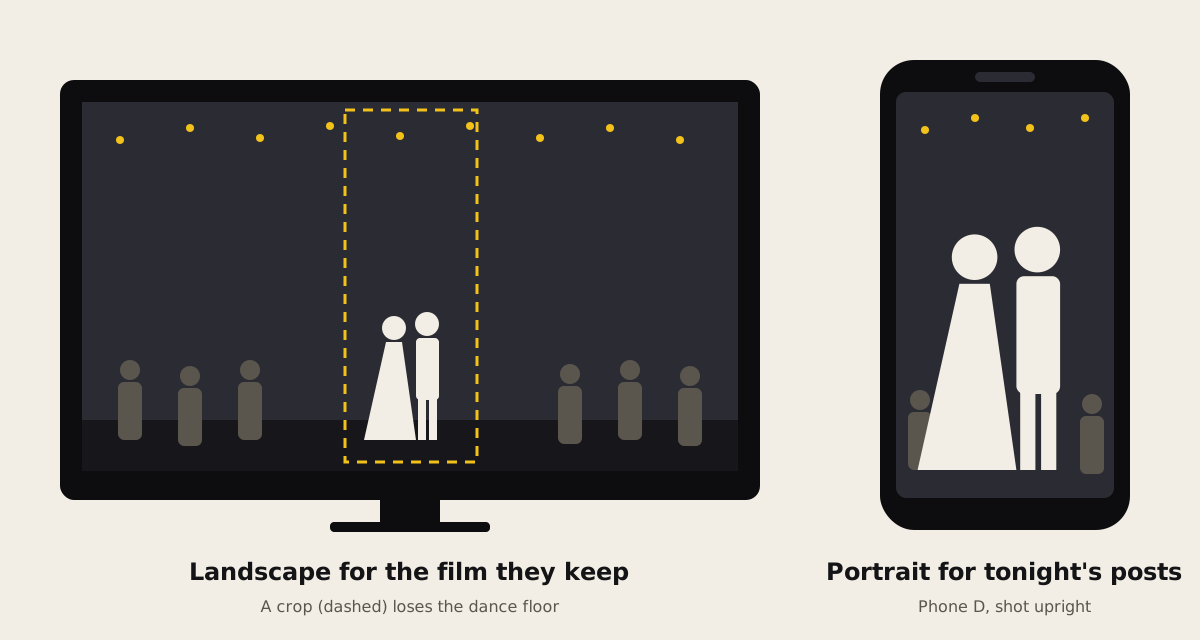
Ask the couple where they'll watch the finished film. It's the first question I ask any client before I unpack anything, because it decides the shape. A film for the TV, a laptop or YouTube wants landscape.
When a client needs both shapes, I film landscape in 4K and crop the vertical version later. That works for one person talking at a table, but a packed dance floor won't survive the crop, which is why the fourth phone shoots portrait from the start.
Write a shot list for before, during and after
Ask the couple which moments matter most to them (a grandparent, a pet, a song) and write the list by time of day with a name next to each item.
| Part of the day | Must have | Worth getting |
|---|---|---|
| Before | Getting ready, the outfits on their hangers, the venue from outside | A close shot of the invitation for the opening titles |
| Ceremony | The entrance from two angles, the vows, the rings, the kiss, the exit | Family faces during the entrance, confetti |
| Reception | Every speech in full, the whole first dance | The room before guests sit, the tables, the dance floor later on |
Record the speeches and first dance in one continuous take on the wide phone. You can cut later, but you can't rescue a punchline you didn't record.
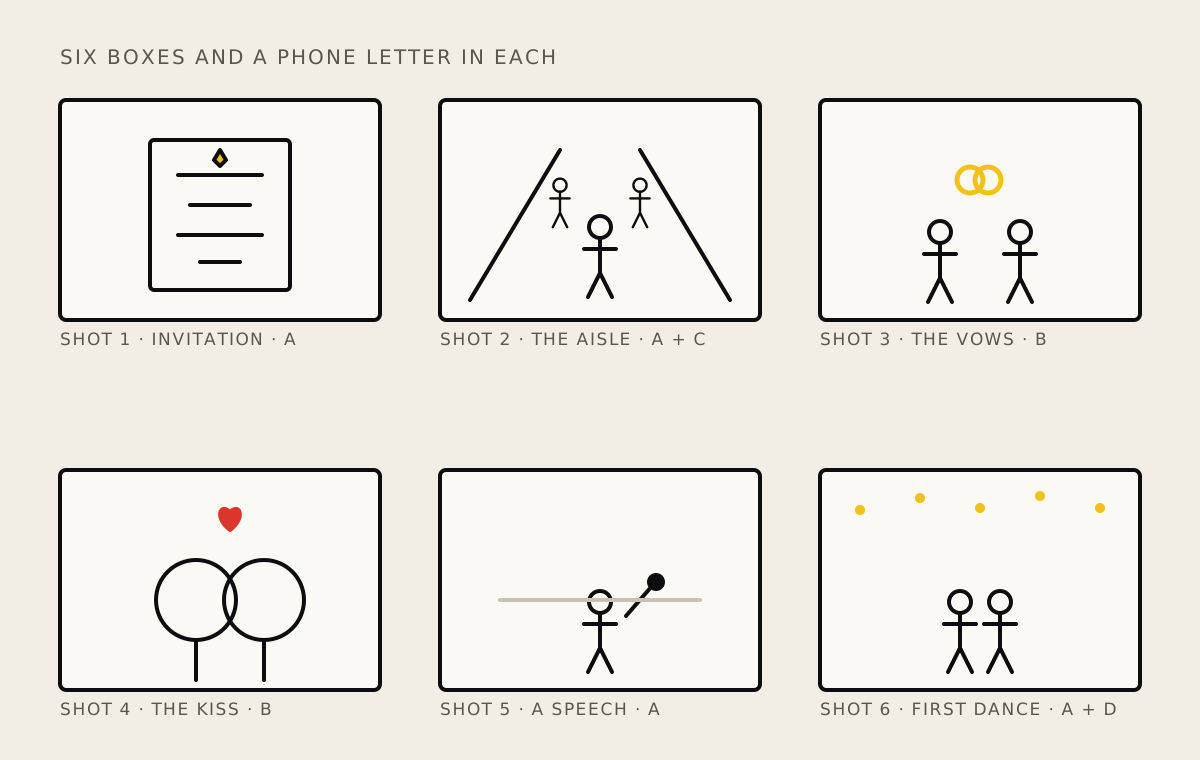
A rough storyboard helps the crew see how one moment leads into the next. A page of boxes is enough, one per key moment, with a stick figure sketch and the initials of whoever covers it.
Use the light that's there, and add only what you must
The great thing about today's kit is how portable it has become. There are plenty of small lights and pocket tripods to choose from. At a wedding, though, my advice is to be as invisible as possible. Work with the natural light first, and bring in extra light only if you really have to.
Receptions get dark quickly and phone pictures turn grainy, so that's when a small LED light can earn its place, for toasts at a table or a quick message from a guest. Ask the couple first, and the venue too. The last thing you want is to disturb the day you're there to record.
If you do use one, set it to a warm colour so faces match the room's lamps, keep the power low, and never aim it at the couple during the first dance.
Collect guests' clips at full quality
Guests will film whatever you plan, and how they send their clips decides whether you get the original or a squashed copy.
| Method | What you receive | Notes |
|---|---|---|
| AirDrop with All Photos Data on | The original file | iPhone to iPhone or Mac, nearby. Tap Options before sending |
| iCloud link from Photos | The original file | Works for anyone with a browser |
| iCloud shared album made on iOS 27 or later | Full resolution | Counts against the album owner's iCloud storage |
| iCloud shared album made on iOS 26 or earlier | Video at up to 720p | Fine to watch, poor to edit |
| A Google Drive or Dropbox folder | The file as uploaded | Works from Android and iPhone alike |
| WhatsApp, sent as a video | A compressed copy, even with HD switched on | Ask guests to send it as a Document instead |
The simplest plan is one shared folder set up before the day, with a QR code to it on every table.
Sync the phones and cut it together
Start every phone recording before the ceremony and have one person clap once in view of all of them. In the edit, line up the spike the clap leaves in each audio track and every angle falls into place.
For a short highlights film, iMovie on the iPhone is enough, and it's what I edit my own phone jobs in. Lining up four angles across a full ceremony is easier on a laptop, and my guide to phone editing apps compares the options.
Open on the invitation, and add music last. A chart song is fine in a private copy covered by a PRS Limited Manufacture licence, but YouTube and Instagram may mute or block it, so use royalty free music for anything posted online.
What I'd do differently
In 2014 I told each person to aim for 20 minutes of footage. I wouldn't now. A target like that makes people stop recording at exactly the wrong moment, and phones hold far more than they did. I'd rather the wide phone never stops during the ceremony and speeches, and everyone else records freely.
I also put tripods and lights ahead of sound back then. A little shake is still fine. Muddy vows aren't, so the microphone now comes first on my list.
And I said shoot landscape, full stop. That still holds for the main film, but today I'd give one phone to portrait for the couple's own posts.
Questions I get about filming a wedding on a phone
Can a guest film a church wedding ceremony in the UK?
Only if the vicar or minister agrees, because filming during the service is their decision. Ask early, ask where the phone can stand, and ask whether the church's copyright licence covers the recording.
Is an iPhone good enough to film a whole wedding?
Yes, for a film the couple will watch on a TV or laptop, as long as the phones are steady, matched and close to good sound. Place each phone near the action rather than zooming in from the back.
What frame rate should I use to film a wedding?
Match it to your mains electricity. In the UK, Europe and other 50 Hz countries use 25 frames per second, and in the US and Canada, where mains runs at 60 Hz, use 30. Either way, set every phone to the same rate so the cuts look smooth.
How do I record the vows clearly on a phone?
Get a microphone close to the couple. A wireless clip mic on one partner or the officiant (with permission) is best, with a spare phone recording on the lectern as backup.
How can guests send wedding videos without losing quality?
Use AirDrop with All Photos Data on, an iCloud link, or a shared Google Drive or Dropbox folder. Shared albums made on iOS 26 or earlier cut video to 720p, and WhatsApp compresses videos sent the normal way.
Where to go next
For the planning behind any shoot, start with video production fundamentals. If the reception has a band, my live events guide picks up from here, and the budget phone rig guide lists the kit with UK prices. To practise it all before the day, see Smartphone video essentials.
Sources
- Church of England, Filming a wedding
- Oxford Diocesan Registry, Filming weddings, baptisms and funerals (PDF)
- All Saints Church Grayswood, Filming your wedding (PDF, 2026)
- Parish of Beaulieu, Exbury and East Boldre, Photography and videography at your wedding
- Derbyshire County Council, Your civil marriage ceremony
- Hampshire County Council, Alton register office
- PRS for Music, Limited Manufacture licence
- NESO, Energy explained, the costs of balancing Britain's electricity system
- Apple Support, Change the camera's video recording settings on iPhone
- Apple Support, Use the Camera Control on iPhone
- Apple Support, Share photos and videos on iPhone
- Apple Support, Shared Albums limits
- Blackmagic Design, Blackmagic Camera tech specs
- RØDE, Wireless PRO