
Film Sound Design Basics: How Top Films Hook Viewers
Last updated: March 9, 2026

A video can look polished and still lose people within seconds if the sound feels thin, messy, or emotionally flat. That is why sound design matters so much. It does not just fill space. It helps guide attention, clarify emotion, and make a scene feel complete.
For most creators, the challenge is not understanding that sound matters. It is knowing what to prioritise when dialogue, ambience, effects, music, and silence all compete for space. Once those choices become more deliberate, videos often feel more controlled and more watchable straight away.
If you are also improving lighting, framing, and on-camera presentation, the broader video setup guide helps place sound decisions in the wider setup so you can fix the right issue first.
This article focuses on the basics that usually make the biggest difference first. It is written for film students, solo creators, educators, and small teams who want their videos to hold attention more reliably without turning every project into a full post-production exercise.
What sound design actually does
Sound design is the deliberate shaping of what viewers hear and how those sounds support the image. That includes obvious elements such as dialogue, music, and sound effects, but also quieter decisions such as room tone, silence, background detail, timing, and how different layers are balanced together. If you want to go deeper on one of the most useful layers for continuity and realism, ambient sound in content creation is often where smaller projects improve fastest.
The goal is not to add more sound for the sake of it. In many cases, the better choice is to remove clutter so the right sound carries more weight. BBC Academy’s storytelling material makes a similar point in practice. Audio often does more than explain what is happening. It shapes how a moment feels and where attention settles.
For smaller creators, that usually means starting with one simple question. What does the viewer need to hear most clearly in this moment?
| Element | What It Does | What Tends to Matter Most |
|---|---|---|
| Dialogue | Carries meaning, tone, and character | Clean capture and enough space in the mix to stay intelligible |
| Ambience | Makes the space feel real and continuous | Consistency between cuts so scenes do not feel empty or patched together |
| Sound effects | Adds impact and direction to actions | Using them selectively so they support attention rather than distract from it |
| Foley | Adds believable movement and texture | Small details that help the frame feel grounded without sounding exaggerated |
| Music | Shapes pace and emotional tone | Making sure it supports the scene instead of competing with speech |
| Silence | Creates contrast, tension, or emphasis | Using it with intent so key moments land more clearly |
Why sound hooks viewers more than many creators expect

A scene like this shows how wind, low rumbles, and scale-driven ambience can make sound feel as immersive as the image
Viewers can tolerate a lot visually if the sound feels clear and purposeful. They are far less forgiving when speech is muffled, levels jump between cuts, or music overwhelms meaning. Adobe’s mixing guidance reflects this practical reality by putting clear audio typing and dialogue control at the centre of a clean workflow.
This is one reason sound often influences whether a video feels professional. Not because every layer has to be complex, but because poor audio choices tend to break trust quickly. A distracting hum, missing room tone, or over-loud track can make the whole edit feel less controlled.
Sound also directs emotion in quieter ways. A low background rumble can suggest tension before anything obvious happens. A sudden reduction in sound can create focus. A believable room tone can make cuts feel smoother without the viewer noticing why. Dolby’s own description of immersive sound centres on detail, clarity, and depth, but the smaller lesson for most creators is simpler. Viewers stay engaged when the soundtrack feels coherent.
What usually goes wrong in creator edits
Most weak sound design is not caused by a lack of plugins or expensive libraries. It usually breaks down in a few predictable ways.
Dialogue is not clearly the priority
If viewers have to strain to understand the words, the rest of the soundtrack stops helping. Music, effects, and atmosphere should usually support speech, not compete with it.
The room changes from shot to shot
A common issue in interviews and talking-head edits is that each cut sounds like it was recorded in a different room. That is often caused by missing or inconsistent ambience rather than by the dialogue itself.
Too many layers arrive at once
Beginners often assume richer sound means adding more elements. In practice, too much layering can flatten the effect of every sound. One good ambient layer and one well-judged effect often do more than six competing textures.
Music tells the viewer what to feel too aggressively
Music can help carry tone, but it can also make a scene feel forced if it is too loud, too obvious, or emotionally mismatched. The safest question is whether it deepens the scene or simply announces a feeling the image already carries.
Silence is treated like a gap instead of a choice
Silence can be powerful, but only when it feels intentional. If a scene suddenly loses all environmental sound without a reason, it may feel broken rather than focused.
The sound decisions that tend to matter most
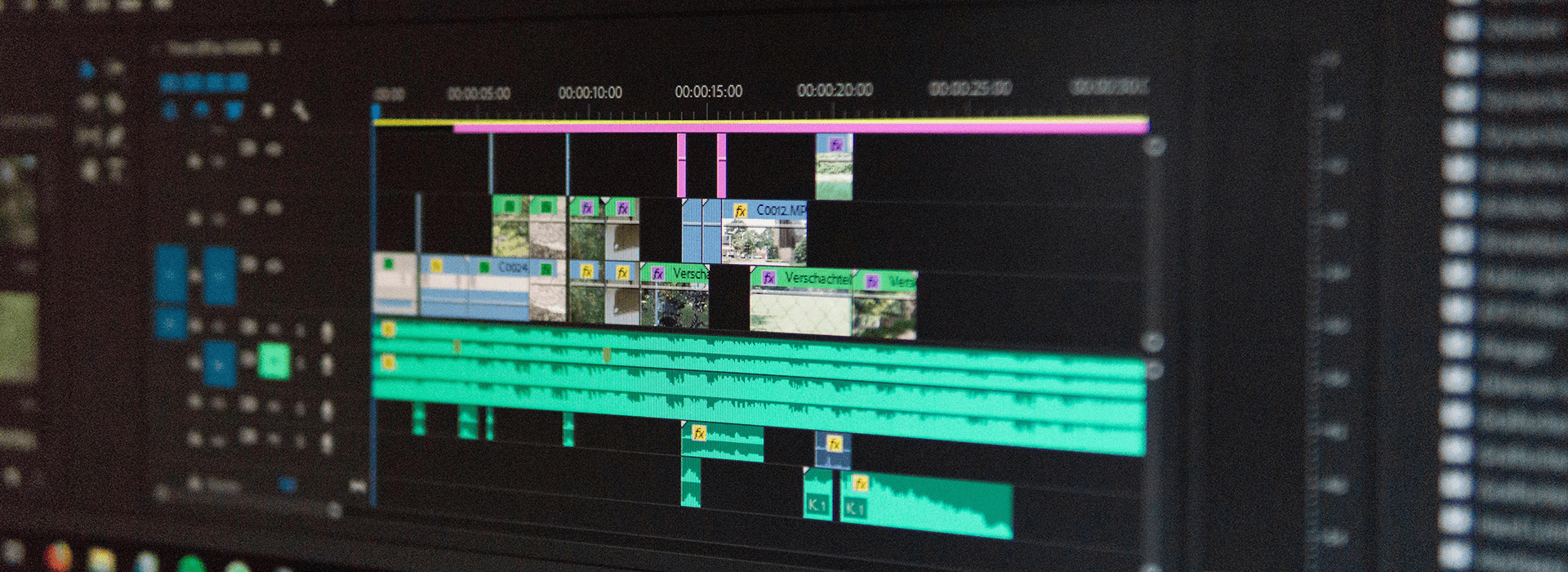
A clear soundtrack usually starts with dialogue, then builds ambience, effects, and music around it with enough space for contrast
Start with speech
If there is dialogue, begin there. Viewers usually need to understand the words without effort. That means paying attention to capture first, then giving dialogue enough space in the edit. Adobe’s Essential Sound workflow is built around this same idea by separating dialogue from music and effects before you start balancing them.
Use ambience to glue the scene together
Good ambience is often felt more than noticed. It gives the room continuity and helps cuts feel less abrupt. If an interview jumps between angles and the background sound disappears or changes too sharply, the edit often feels choppy even when the pictures match.
This is where many small projects improve quickly. A modest, believable ambient layer can make an edit feel more finished without sounding flashy.
Let effects support attention, not steal it
Effects work best when they clarify action, weight, or movement. They become distracting when every action is exaggerated or every transition is accompanied by a dramatic hit. Restraint usually ages better than overstatement.
Use music as support, not cover
Music is sometimes used to hide weak pacing or empty visuals. It may make the video feel fuller for a moment, but it rarely fixes the real problem. A better approach is to treat music as one layer among several and keep checking whether it is helping the scene breathe or simply filling silence out of habit.
Leave room for contrast
Sound design works partly because of contrast. Busy moments land harder when quieter moments exist around them. Tense scenes often become more effective when the soundtrack narrows instead of constantly expanding.
Real examples of how sound changes attention
A good sound mix does not always call attention to itself. Often its job is to make the viewer feel guided without noticing the mechanism.
In a dialogue scene, the difference between a flat edit and an engaging one may come down to small choices such as room tone continuity, gentle movement in the background, and music that stays out of the way until it has something useful to add.
In a suspense sequence, the instinct may be to add more hits, more bass, and more movement. In many cases, the stronger choice is to reduce information, hold back the payoff, and let tension build through selective detail.
That is one reason top films feel so controlled. They do not just have more sound. They usually have clearer priorities.
Beginner-friendly ways to improve sound design
If you are new to this, start with habits that improve clarity before you chase cinematic complexity.
Record the cleanest dialogue you can before worrying about polish in the edit
Capture a few seconds of room tone in every location
Keep music lower than you first think you need
Add one useful ambient layer before adding extra effects
Mute layers occasionally and check whether they are helping or just occupying space
Use silence deliberately where you want a reaction, a pause, or a shift in focus
These habits are simple, but they often improve viewer experience faster than buying more sound packs.
Free and paid audio resources that can help
Licensing matters. Using music or sound effects without the right permission can lead to takedowns, restrictions, or platform issues later, especially on commercial or client-facing work. The value of a good library is not only sound quality. It is also knowing what you are allowed to use and where.
For sound effects, Freesound can be useful for unusual textures and ambience, though attribution and licence terms need checking carefully. Zapsplat is a straightforward starting point for everyday effects and transitions. BBC Sound Effects is well known, but its terms make it more limited for some commercial uses, so it is worth reading the conditions before building it into a workflow.
For music, services such as Bensound, Epidemic Sound, Artlist, and Soundstripe are commonly used because they make it easier to find tracks by mood and usage type. Even so, licence terms can vary by plan and platform, so it is worth checking the details before publishing client, paid, or sponsored work.
A simple habit helps here. Try a few options against the same edit before deciding. The right track usually becomes clearer when you hear it in context rather than choosing from a list alone.
Free and paid resources that can help
Licensing still matters. Using music or effects without the right permission can cause takedowns, restrictions, or platform issues later, especially on commercial or client-facing work. The practical value of a good library is not just sound quality. It is also knowing what you are allowed to use and where.
For sound effects, Freesound can be useful for unusual textures and ambience, though attribution and licence terms need checking carefully. Zapsplat is a straightforward starting point for everyday effects. BBC Sound Effects is well known, but its terms make it more limited for some commercial uses, so it is worth reading the conditions before building it into a workflow. Film Sound Design Basics
For music, paid libraries such as Artlist, Epidemic Sound, and Soundstripe are often easier for regular creator or brand work because the licensing is clearer and the search tools are better tuned to production use. Film Sound Design Basics
A practical way to review your own soundtrack
Before publishing, play the video once without looking at the screen. Ask yourself four things.
Can I follow the meaning clearly?
Does the room feel continuous?
Is the music helping or pushing too hard?
Do any sounds feel louder, busier, or more dramatic than the scene really needs?
That quick check often reveals problems faster than endlessly tweaking waveforms.
Final takeaway
Sound design is not just decoration after the edit. It is one of the main reasons a video feels coherent, watchable, and emotionally guided. The biggest improvements usually come from clear priorities rather than bigger sound libraries.
Start with dialogue. Add believable ambience. Use effects with restraint. Let music support rather than dominate. In many cases, that is enough to make viewers stay with the story for longer.
Quick reference table: key sound elements
| Element | What It Does | What Tends to Matter Most |
|---|---|---|
| Dialogue | Carries meaning, tone, and character | Clean capture and enough space in the mix to stay intelligible |
| Ambience | Makes the space feel real and continuous | Consistency between cuts so scenes do not feel empty or patched together |
| Sound effects | Adds impact and direction to actions | Using them selectively so they support attention rather than distract from it |
| Foley | Adds believable movement and texture | Small details that help the frame feel grounded without sounding exaggerated |
| Music | Shapes pace and emotional tone | Making sure it supports the scene instead of competing with speech |
| Silence | Creates contrast, tension, or emphasis | Using it with intent so key moments land more clearly |